Bridge features
Everything on this page is live in Bridge today. Features are named as they appear in the app.
Screens shown with sample data.
Inbox
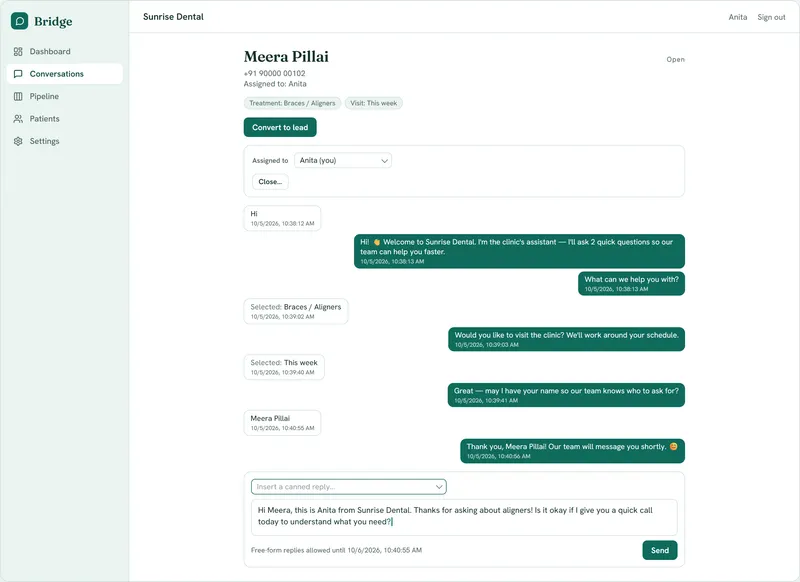
Conversations and Incoming
Every WhatsApp enquiry becomes a conversation. Incoming lists the ones the bot has handed to your team.
Priority badges
Each lead in Incoming shows High, Med or Low. Urgent leads rank first, then leads that finished the bot's questions.
Take over
Stop the bot and handle the conversation yourself. Any staff reply does the same.
Reply from Bridge
Your team replies on WhatsApp without leaving Bridge.
24-hour window guard
When WhatsApp's reply window has closed, the reply box is disabled and Bridge tells staff to call the lead.
Close with a reason
Close a conversation and record why.
Stale nudge
Conversations idle for 3 days are flagged for closing, so the queue stays clean.
Team
Assignment
Assign any conversation to a colleague and filter the queue by Mine, Unassigned or All. It shows ownership without locking anyone out.
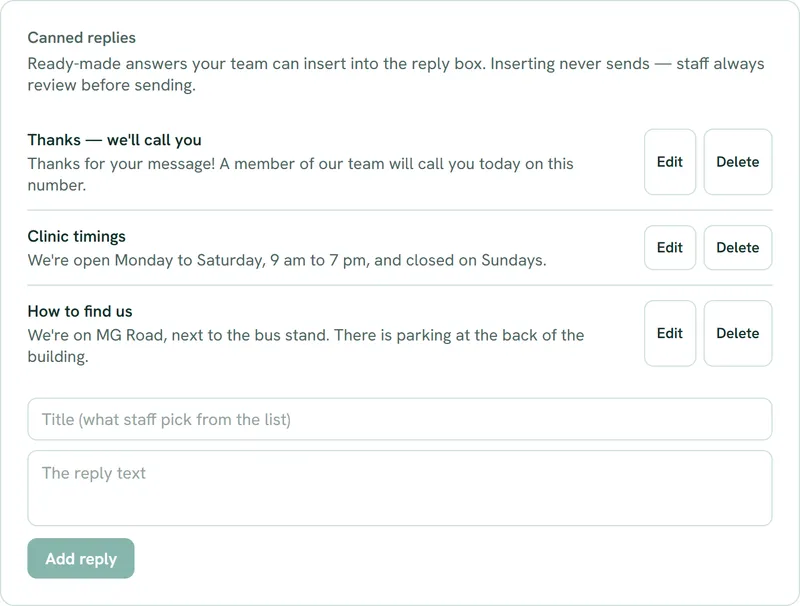
Canned replies
Admins save reusable replies. Staff insert them into the reply box, and nothing sends until they send it.
Admin and Member roles
Only admins can change the WhatsApp connection, the bot's messages, saved replies and the share link.
Intake bot
Tap-button questions
The bot asks which service, how soon, and the customer's name, using WhatsApp buttons and lists.
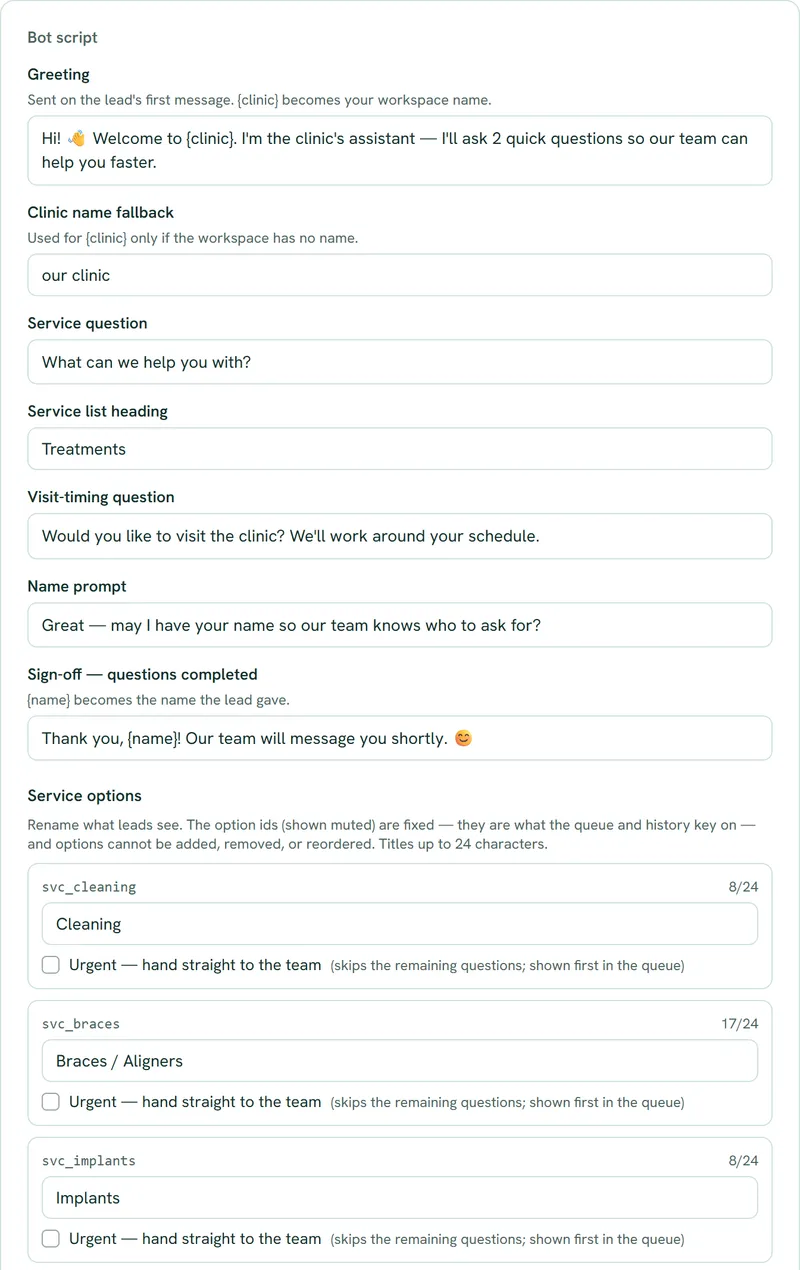
Bot script
Rewrite every message and option label in Settings, in your customers' language. The number and order of questions stay fixed.
Urgent services
Mark an option as urgent. Tapping it hands off at once and puts the lead first.
Escape words
Customers who type agent, human, help, call or talk reach a person immediately.
Misfire limit
After three replies the bot doesn't recognise, it hands off, so nobody gets stuck in a loop.
Voice notes and photos
If a customer sends a voice note or photo, the chat goes to a person. Bridge shows that it arrived, but can't play or open it yet.
Getting enquiries
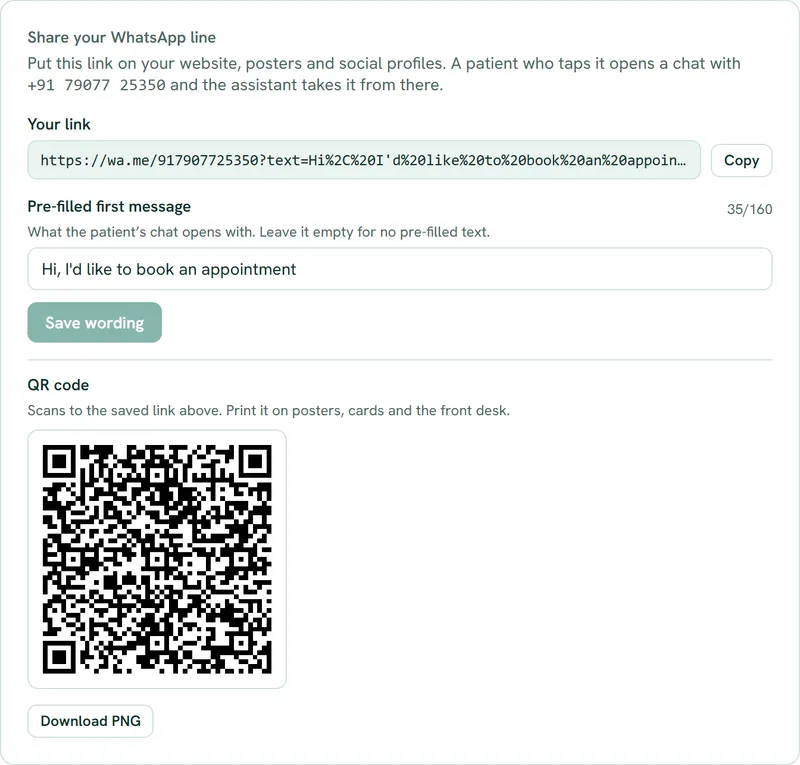
Share your WhatsApp line
Your chat link with editable pre-filled text, a Copy button, an on-screen QR code and a PNG download for posters and ads.
Pipeline and revenue

Convert to lead
Turn a conversation into a contact and a deal in one step, linked to the transcript. Or dismiss it.
Open a deal
Start a deal for an existing contact with no WhatsApp conversation. Bridge stops you opening a second deal while one is open.
Pipeline board
See every deal by stage and move it with a stage selector.
Conversion funnel
Stages grouped into five bands (Awareness, Interest, Decision, Fulfilment, Action) with the drop-off between them. Lost deals shown separately.
Won and paid
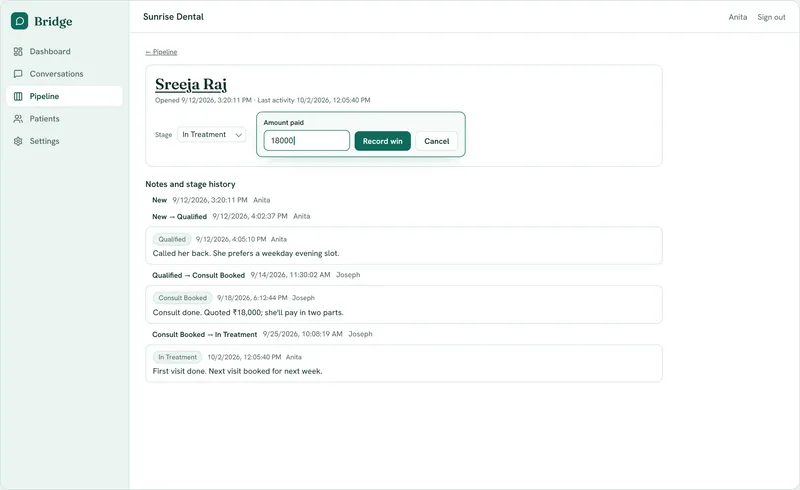
Marking a deal Won opens a form to record the amount paid. Revenue is totalled from these records.
Contacts
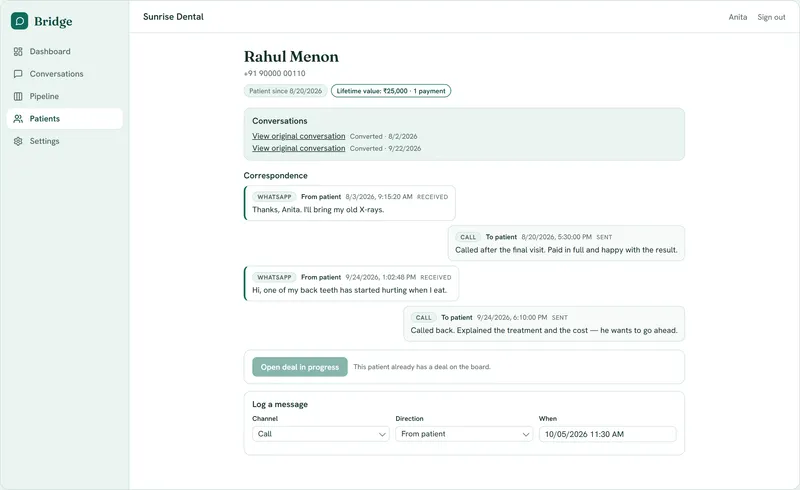
Contact records
Every message, channel badges, and lifetime value on one record.
Add by hand
Add a contact with their phone number, typed with the country code (for example +91), plus an email address and LinkedIn profile if you have them.
Log a message
Record calls, walk-ins, email and LinkedIn messages. WhatsApp is recorded automatically.
Dashboard
Dashboard
Leads awaiting reply, deals by stage, and revenue won this month, counted from the same data as your lists.
Industry setups
Ready-made setups
Dental clinics, real estate and used-car dealers each get their own bot options, contact name (Patients, Clients, Customers) and pipeline stages.
Privacy controls
Erase
Permanently erase a conversation or a contact, with typed confirmation.
Transcript pruning
Messages in chats you close as junk or wrong number are deleted after 14 days.
Setup
Connect WhatsApp
Admins connect, reconnect or disconnect a WhatsApp Business number through Meta's Embedded Signup popup. You can bring your existing WhatsApp number. You remove it from the WhatsApp Business app on your phone first, and it moves to Bridge.
What Bridge doesn't do today
- Send template messages, broadcasts or reminders.
- Message anyone who hasn't contacted you first.
- Play, open or transcribe the voice notes and photos customers send.