
How Bridge works
Bridge sits between your WhatsApp number and your team. A scripted bot collects the basics, a person takes over, and every real lead is tracked to a paid sale.
-
1
A customer messages you
From an ad, a click-to-WhatsApp button, a QR code or your chat link, every enquiry becomes a conversation in Bridge.
-
2
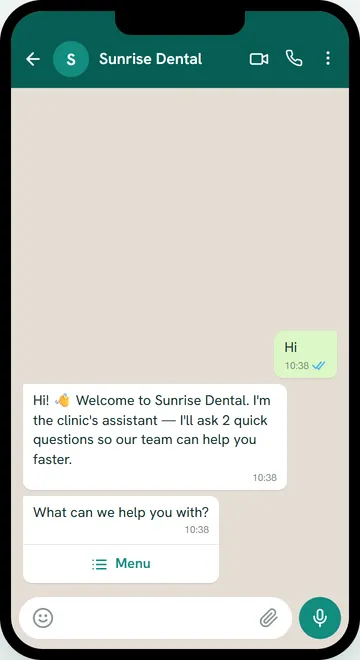
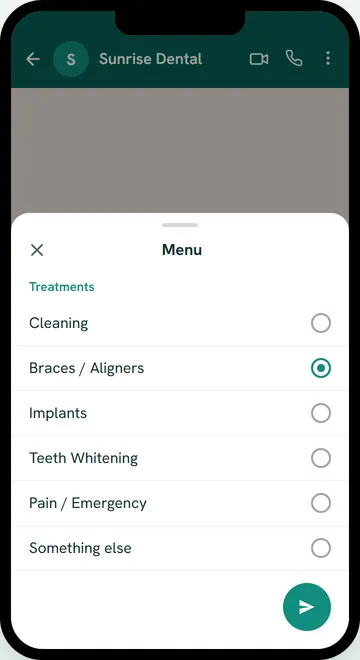
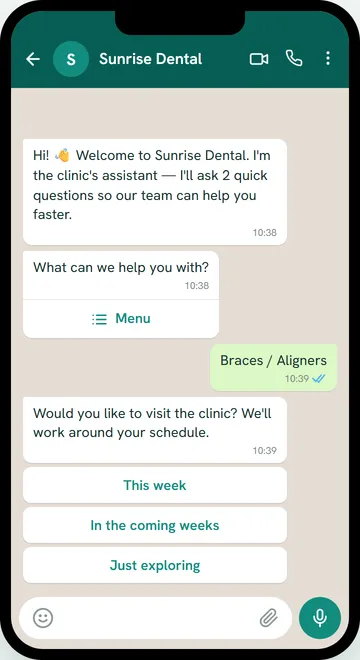
The bot asks two questions, then a name
By default the bot greets the customer and asks two questions, answered with a tap: which service they need, and how soon they would like to come in. Then it asks for their name. Customers answer the two questions by tapping buttons or choosing from a list. The bot decides only from taps and a short list of words. It never tries to read free text.
-
3
The bot hands off to your team
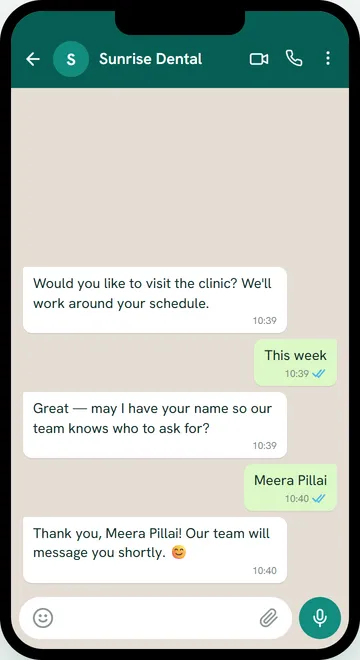
The bot stops and passes the conversation to a person when:
- the customer finishes the questions;
- the customer types agent, human, help, call or talk;
- the customer sends a voice note, photo or sticker (Bridge shows that it arrived, but can't play or open it yet);
- the customer taps a service you've marked urgent;
- the bot doesn't recognise a reply three times in a row.
-
4
Your team replies
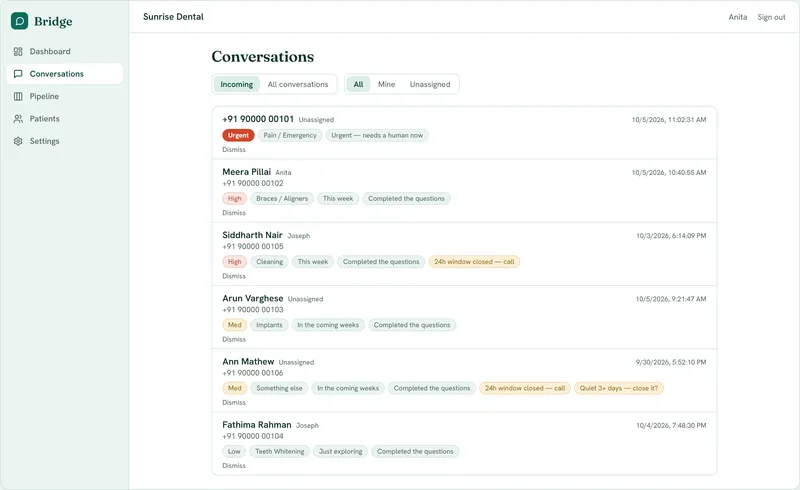
Handed-off conversations appear in Incoming with a High, Med or Low priority badge. Urgent leads come first, then leads that finished the questions. Any staff member can take over at any time, and any staff reply stops the bot for that conversation. Within WhatsApp's 24-hour window, staff reply from Bridge. After it closes, the reply box is disabled and Bridge shows "24h window closed — call the lead".
-
5
Real leads become deals
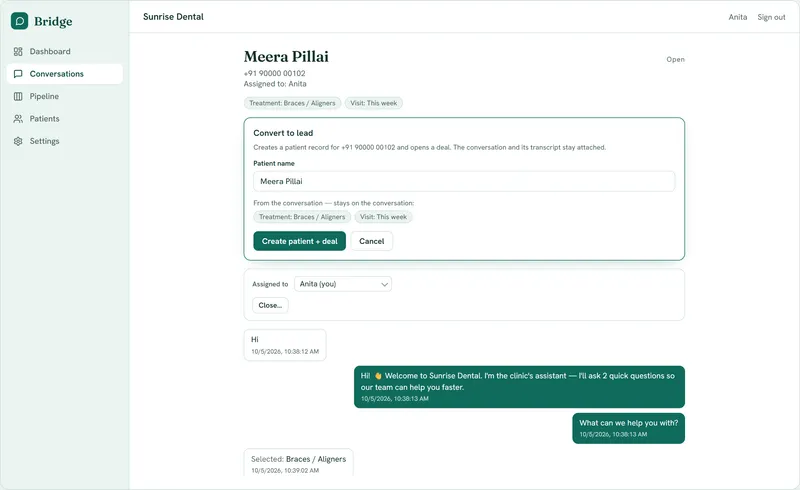
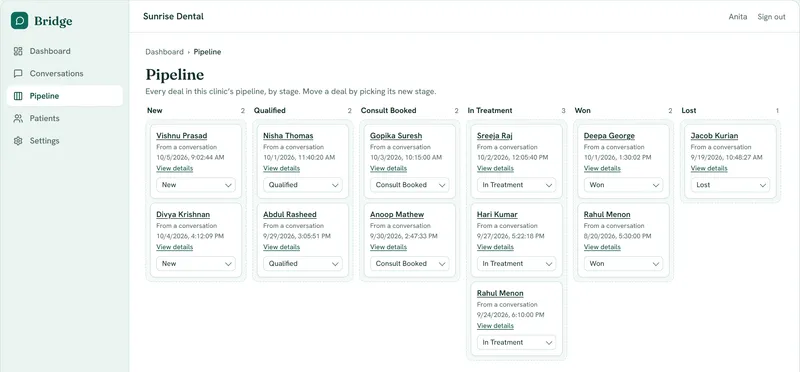
Convert to lead creates a contact and a deal in one step, linked to the conversation. Move the deal through your pipeline stages. When it's won, record the amount paid, and the customer's lifetime value updates. Conversations that aren't leads are closed with a reason.


What the bot never does
- Quote prices, book appointments or make promises. It only runs the intake questions.
- Message anyone first. Every conversation starts with the customer.
- Talk over your team. Once a person takes over, the bot stays quiet.